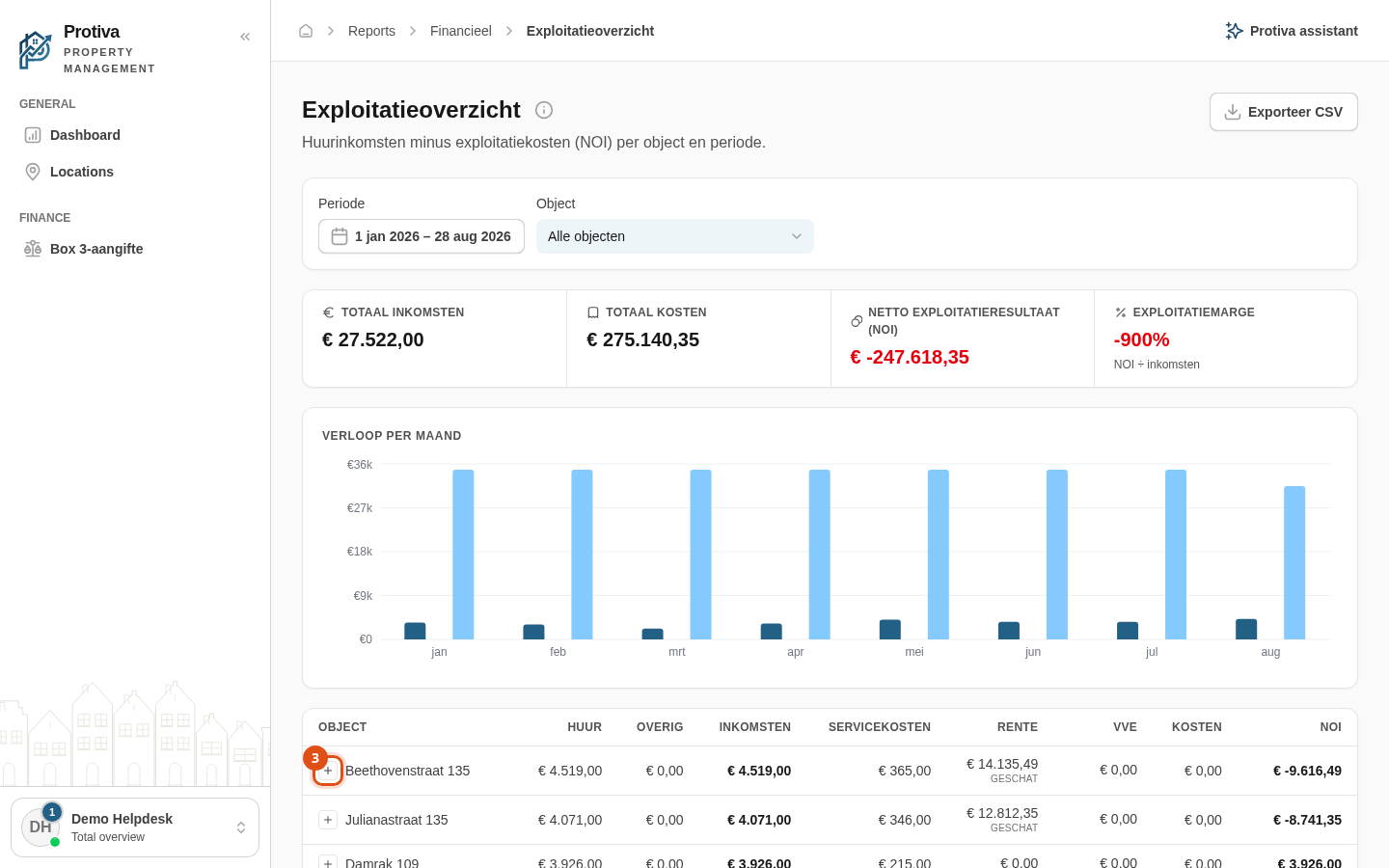
View income per contract via expandable rows
When a property has multiple lease contracts, you can expand the property row to see rental income broken down per contract. This shows exactly which contract contributes which share of the income.
Expand a property row
Go to Reports;
- Open the operating statement;
- Click the expand button (the plus icon) to the left of the property name to reveal the per-contract income breakdown.
The expanded rows show the columns Rent, Other, Income and Service costs for each contract. Cost columns such as Interest, HOA and Costs are only available at property level and appear as a dash on the contract rows. Click a contract name to navigate to the corresponding lease.