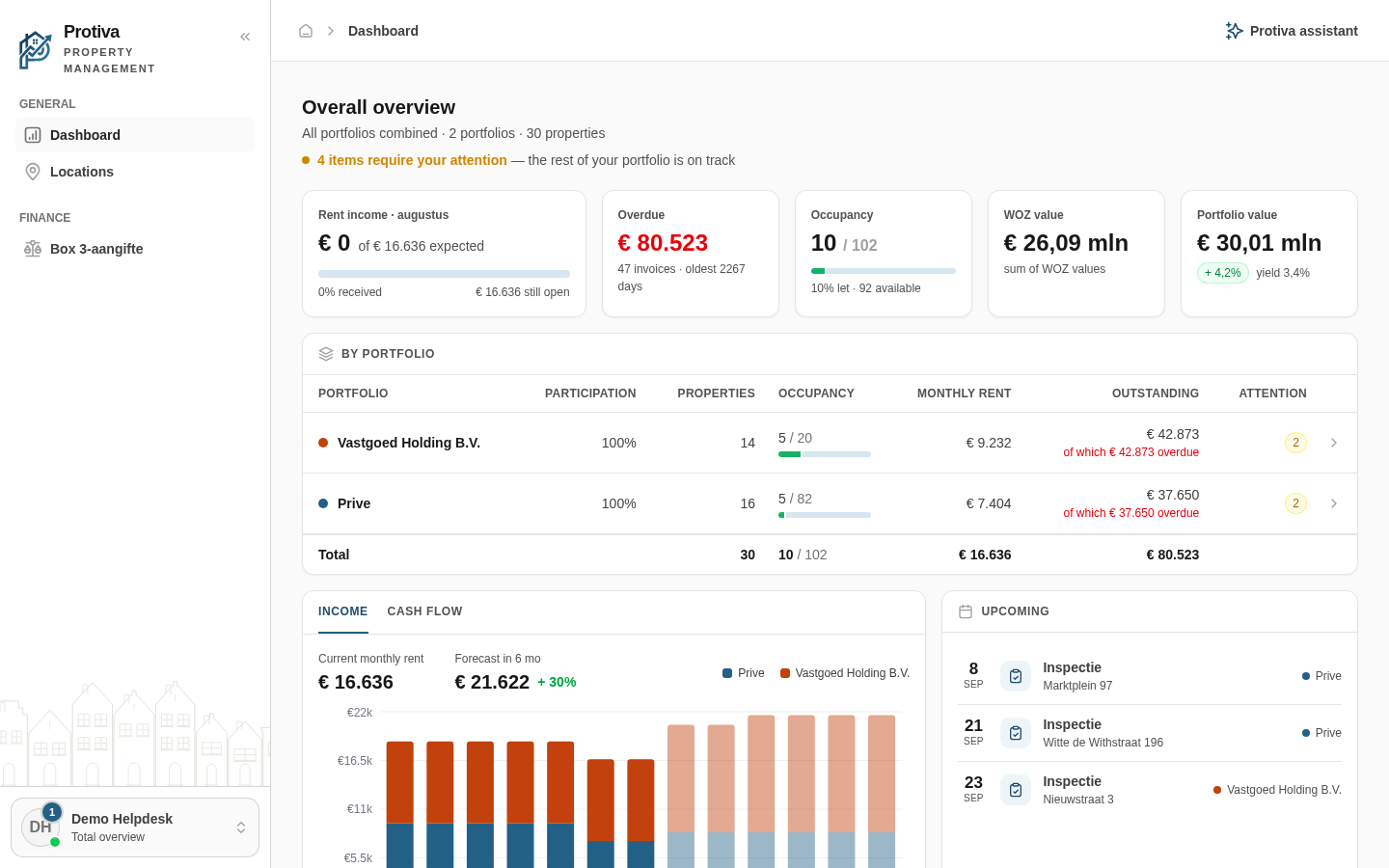
Use the per-portfolio breakdown in the Overall overview
The breakdown card shows a per-portfolio split of properties, occupancy, monthly rent and outstanding amounts, so you can see at a glance which portfolio needs attention.
View the breakdown and navigate to a portfolio
Go to Dashboard;
- Open the account menu and choose Total overview to activate the total overview;
- Scroll down to the By portfolio card — the table shows the columns Properties, Occupancy, Monthly rent, Outstanding and Attention for each portfolio;
- Click a row to switch directly to that portfolio's dashboard.
Portfolios shared with you by another account are marked with the Shared label. The bottom row Total shows the sum across all Portfolios.