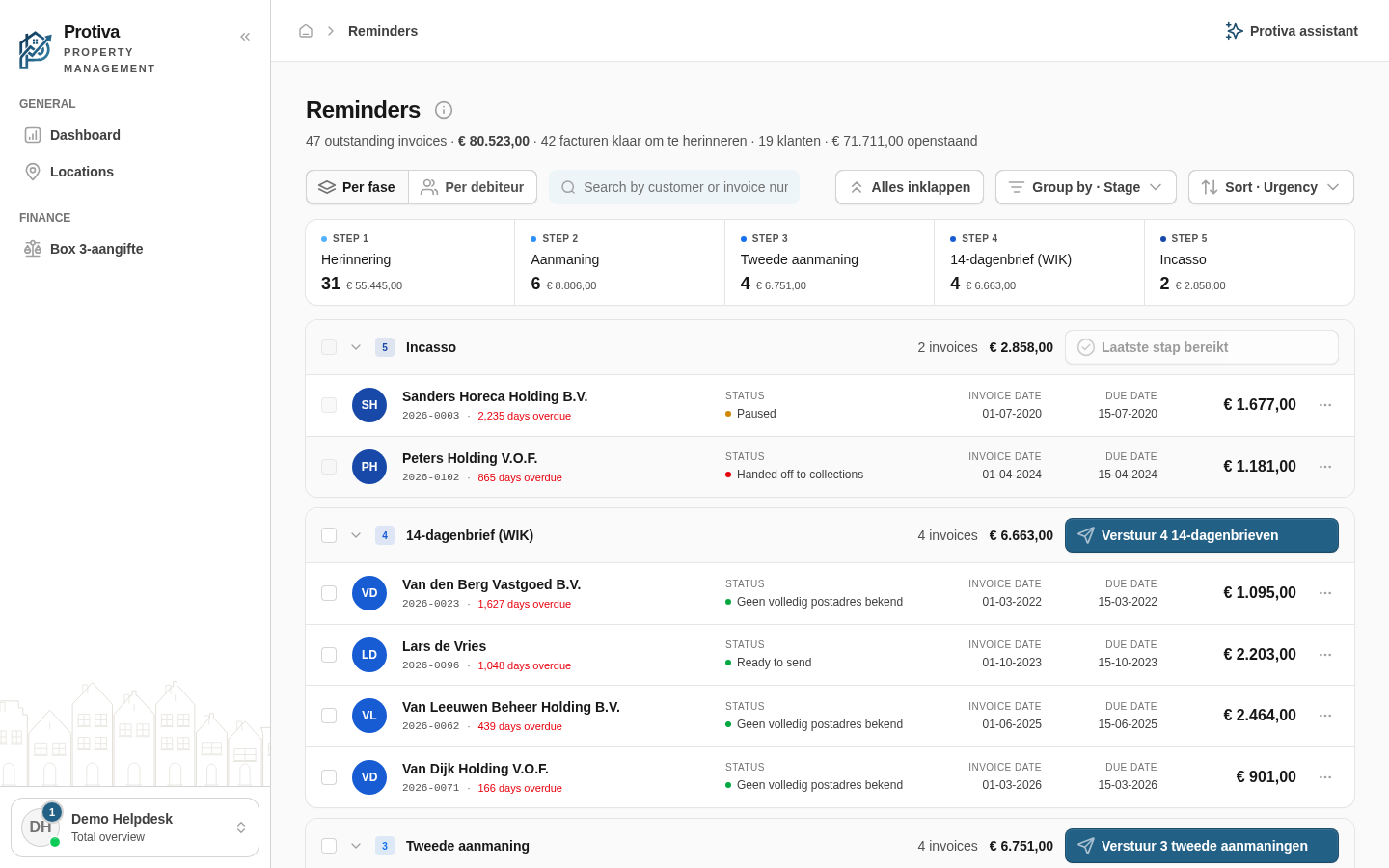
The reminders screen has two views: By stage shows invoices grouped by their position in the dunning ladder, By debtor shows one row per customer with all their outstanding invoices. Switch between the two to quickly see where an invoice stands or who you need to contact.
Switch the view
Go to Reminders;
Click By stage or By debtor in the toolbar at the top left.
Protiva remembers your choice: the next time you open the screen you will see the same view.
Updated on 8/28/2026
Was this article helpful?
Log in
Choose your portal
Every role has its own environment. Pick where you want to log in.
Each role has its own account and its own portal. Pick yours and you create the right account straight away.
Your own property
Management firm
Trades
By invitation
You'll get an invitation by e-mail from your landlord. Open the link in that e-mail to activate your account. No invitation? Ask them to send it again, and check your spam folder too.
Already have an account or an invitation?
Account type:
✓
Check your email
We have e-mailed you the activation link. It usually arrives within a minute. Click the link, choose a password and you are in. No e-mail? Check your spam folder as well.