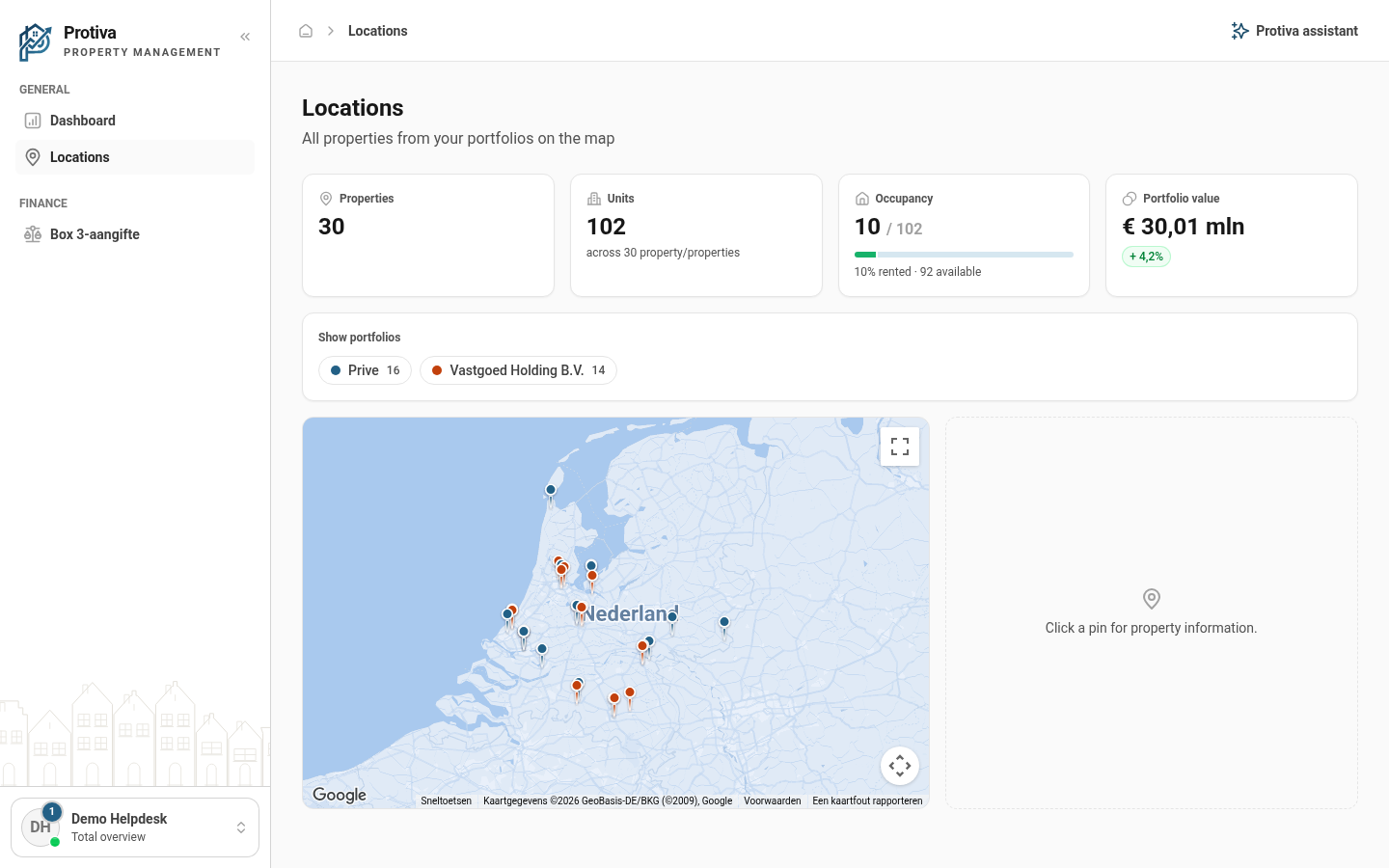
Show or hide portfolios on the map
In the total overview you can control per portfolio whether its pins are visible on the map. This lets you quickly focus on a specific subset of your properties.
Show or hide portfolios
Go to Locations;
- Locate the chip row Show portfolios above the map;
- Click the chip of the portfolio you want to hide — the chip becomes crossed out and the pins disappear from the map;
- Click the same chip again to make the portfolio visible again.
The counter next to the heading shows how many portfolios are currently visible relative to the total. The filter is only available in the total overview; when a specific portfolio is active, pins are coloured by rental status and the chip row is not shown.