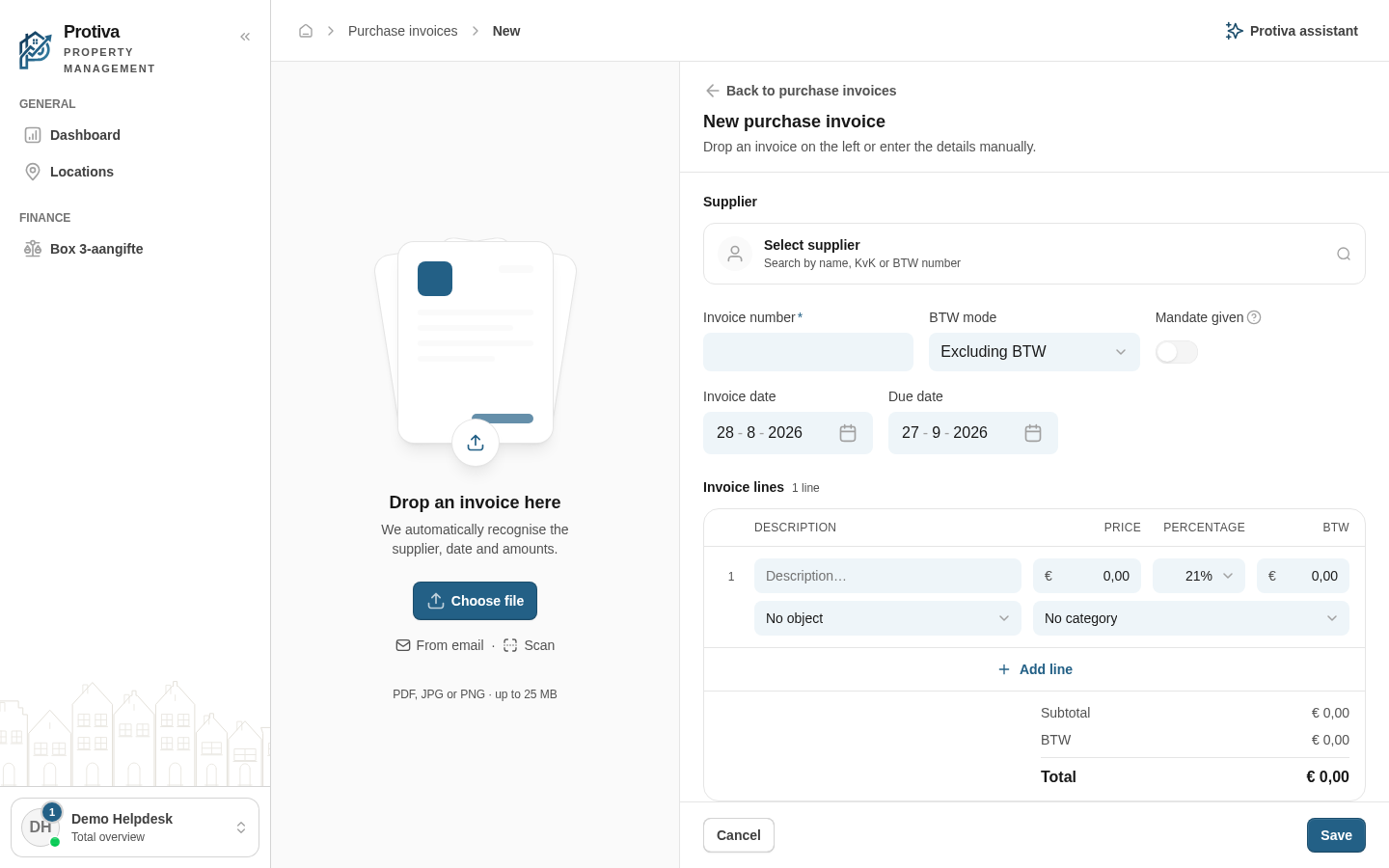
Manually create a new purchase invoice
Manually create a purchase invoice when you do not have a document to upload, or when you want to enter the details directly.
Create a purchase invoice manually
Go to Purchase invoices;
- Click New purchase invoice;
- Select a supplier in the Supplier field, or click Add contact to create a new contact;
- Fill in the Invoice number, the Invoice date and optionally the Due date;
- Under Invoice lines, add one or more lines via Add line and enter the description, amount and VAT percentage for each line;
- Click Save.
The purchase invoice appears in the overview with the status To pay. If you prefer to have a file recognised automatically, use the upload function instead.