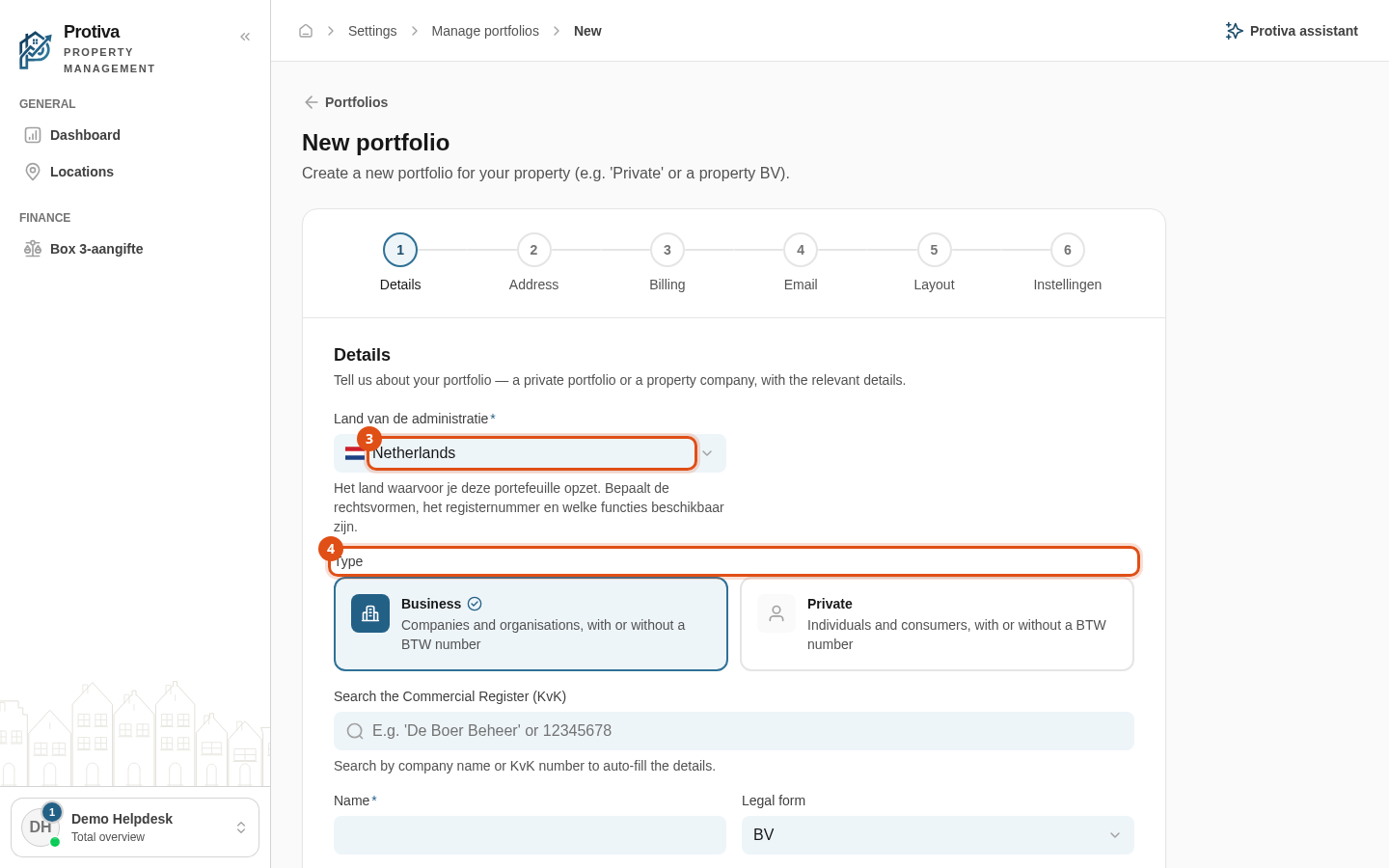
Create a new portfolio
A portfolio groups properties, leases and finances under one administration — for example for private ownership or a real-estate company.
Create a Portfolio
Go to Settings;
- Click New portfolio;
- Select the country of the administration in the Country of administration field;
- Choose the type:
- Business — for companies and organisations;
- Private — for private individuals.
- Enter the Name;
- Choose the Type:
- Sole ownership — you own 100% yourself;
- Participation — then enter your Own share (%);
- Managed on behalf of third parties (not owned) — you manage without ownership (0%).
- Click Save.
After saving you can add fiscal settings, payment details and addresses on the detail page. For a participation or third-party management you can then invite owners or managers.